本文发布于 1412 天前。
说明
此文为2020年的自动下片流程的优化版本
更新内容
现在将Torrent下载器更新为openwrt上的qBittorrent客户端,且下载完成后执行以下两个指令
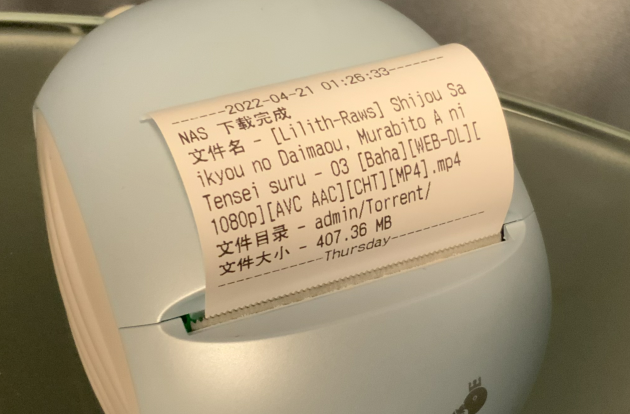
1. 发送下载完成的提示到Memobird
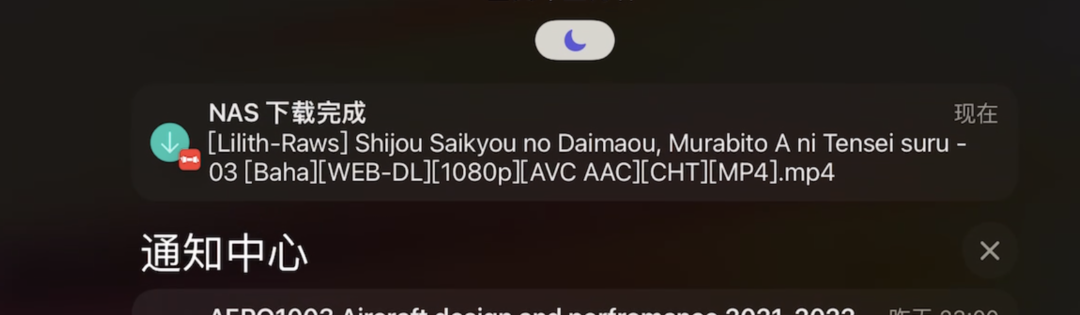
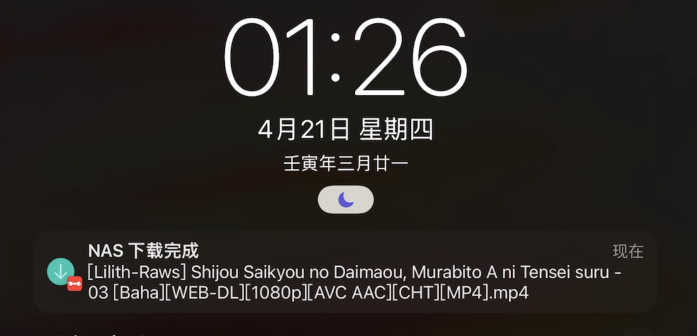
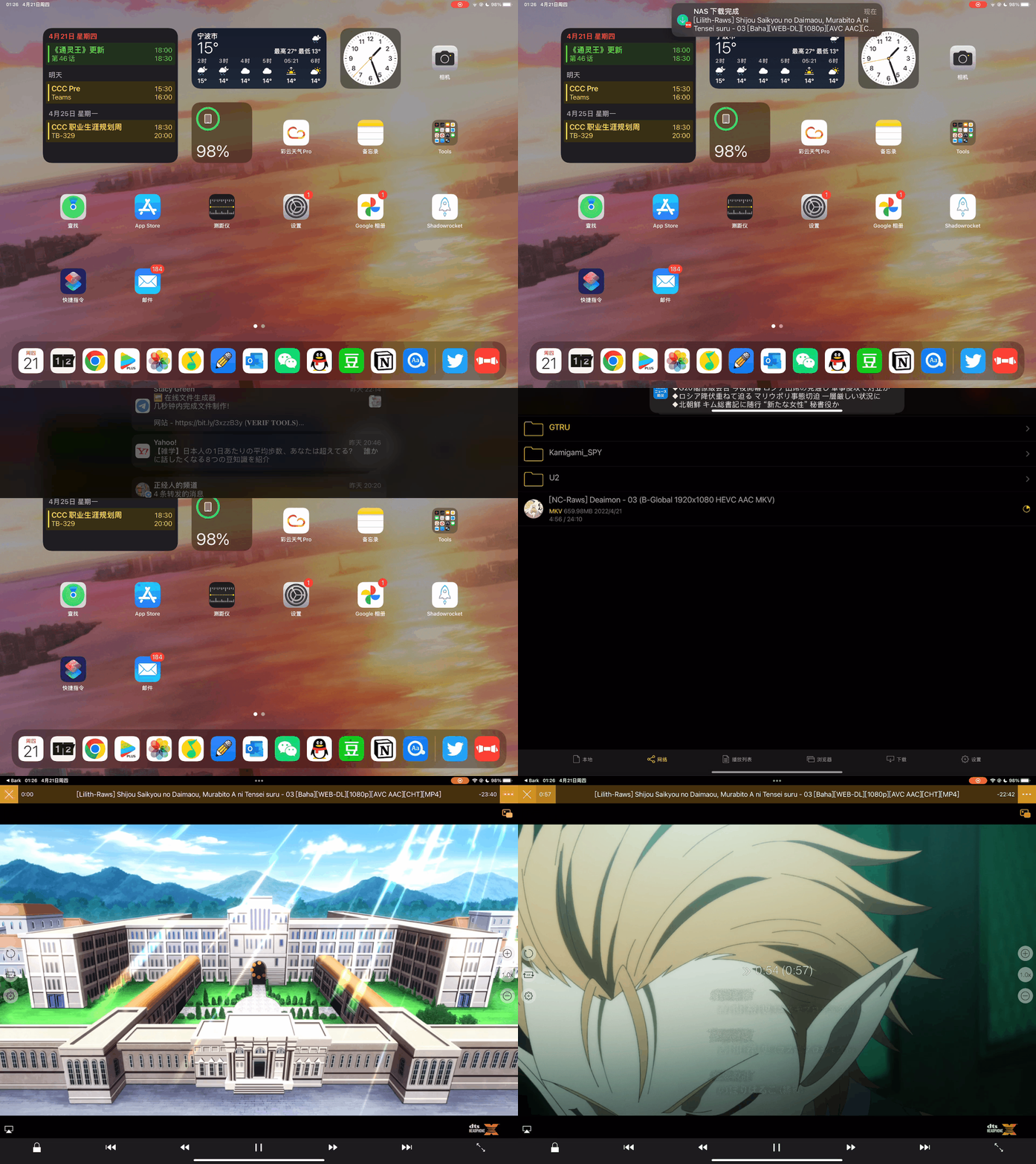
2. 通过Bark将下载提示和nplayer观看直连推送到iPad
这两个指令都直接通过openwrt上的python完成。
实现方法
qBittorrent设置
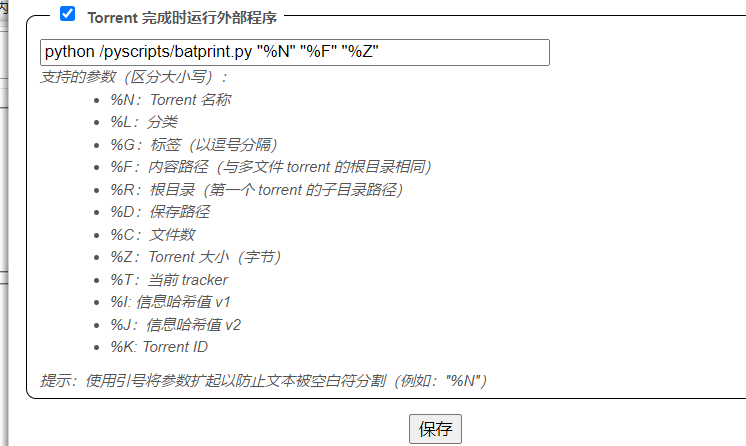
主要设置任务完成后执行指定的py文件。
Python代码
请确定您的环境中已有python和需要的package。
你可以根据你的需求删除不需要的功能,例如Memobird打印。
ios.py
import requests
import string
from urllib.parse import quote
from requests.adapters import HTTPAdapter
from requests.packages.urllib3.util import Retry

postUrl = 'https://api.day.app/push' # Bark的推送api地址

def iconPush(title, body, icon, videoLink):
    if icon == 1: # 下载的icon
        iconUrl = "https://ihkk.net/down.png"
    videoLink = "nplayer-smb://Username:Password@192.168.2.2/" + quote(videoLink) #前缀为我的NAS地址和ID
    data = {
            'title': title, # 推送标题
            'body': body, # 推送内容
            'device_key': 'Your Key', # 推送设备key
            'sound': 'shake.caf', # 推送音频
            'icon': iconUrl, # 推送的icon
            'url': videoLink, # 推送的视频链接
        }
    s = requests.Session()
    s.mount('https://', HTTPAdapter(max_retries=Retry(total=8, method_whitelist=frozenset(['GET', 'POST'])))) # 设置 post()方法进行重访问,最多8次充实
    results = s.post(postUrl, data=data)
    return (results)
print.py
import requests
import base64

url = 'http://open.memobird.cn/home/printpaper'
def printMemobird(msg):
    orgMsg = msg
    base64Msg = base64.b64encode(bytes(orgMsg, 'gbk')).decode("utf-8")
    printContent = "T:" + base64Msg
    data = {
        'ak': 'Your ak',
        'printcontent': printContent,
        'memobirdID': 'Your ID',
        'userID': 'Your User ID'
    }
    results = requests.post(url, data=data)
    return (results)
batprint.py
from print import printMemobird # Memobird打印功能
from datetime import datetime, timedelta
from ios import iconPush # Bark推送
import sys
import arrow
import re

currentTime = arrow.now().format("YYYY-MM-DD HH:mm:ss")

torrentName = sys.argv[1] # 传入参数,文件名
torrentPath = sys.argv[2] # 传入参数,文件地址

# 【以下为Memobird部分】
torrentPath = torrentPath.replace(torrentName,"") # 删除地址中的文件名(为了节省Memobird打印纸)
torrentPath = torrentPath.replace("/opt/","") # 删除不必要的地址
torrentSize = "{:.2f}".format(int(sys.argv[3])/1024/1024) # 以MB为单位计算文件大小

if torrentPath.find("GTRU")>-1:
    torrentName2 = "***"
    torrentPath = "***"

# 一个Memobird打印banner生成器
def generateFooter(weekday):
    footer = ""
    dayLen = len(weekday)
    preLen = (32 - dayLen) // 2
    sufLen = 32 - preLen - dayLen
    for i in range(0,preLen):
        footer = footer + "-"
    footer = footer + weekday
    for i in range(0, sufLen):
        footer = footer + "-"
    return footer

msg = "\nNAS 下载完成\n文件名 - "+ torrentName + "\n文件目录 - " + torrentPath + "\n文件大小 - " + torrentSize + " MB"

# 初始化Memobird打印内容
printMsg = "------" + currentTime + "-------" + msg + "\n" + generateFooter(arrow.now().format("dddd"))
printMemobird(printMsg)

# 以下为Bark推送部分
torrentPath = sys.argv[2]
torrentPath = torrentPath.replace("/opt/admin","admin_Home1")
torrentPath = torrentPath.replace("/opt/public","Public") #根据我的需求进行的地址替换
iconPush("NAS 下载完成", torrentName, 1, torrentPath)
nPlayer launcher 直联启动方式
这几个链接格式并未在官方文档中找到,但实际上是可用的。
经测试,部分链接Android版nPlayer不能正常使用。
nplayer://
nplayer-http://
nplayer-https://
nplayer-ftp://
nplayer-smb://
nplayer-smb://username:password@192.168.x.x/my_folder/123.mp4
如果你的密码中带特殊字符,例如@,请以这种方式推送链接:
smb://username:password%40@192.168.1.1/123.mp4
其中%40代表@。在Python中也可以用quote来生成此类符合url标准的链接。
[1]